Steam Deck Resolution Explained: Your Guide to Perfect Visuals
The Steam Deck has significantly impacted handheld PC gaming, offering considerable power and flexibility. As with any display-focused device, the steam deck resolution is a key specification that sparks curiosity and discussion. Understanding this detail is essential for appreciating the device’s design and its practical impact on your gaming sessions.
Native Steam Deck Resolution: The Smart 800p Choice
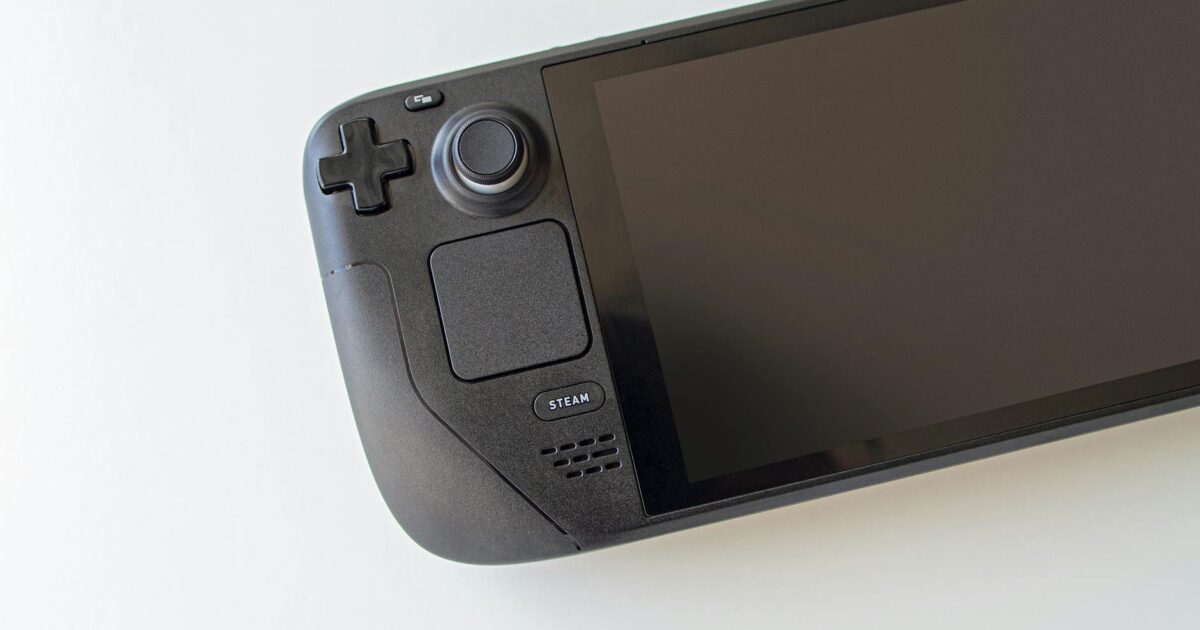
At its heart, the Steam Deck features a 7-inch LCD display with a native steam deck resolution of 1280×800 pixels. While this may seem modest compared to the 4K screens prevalent today, this 800p resolution, named for its vertical pixel count, is a deliberate and intelligent choice by Valve. It’s optimized for a handheld device of this nature, striking an excellent balance between visual clarity, game performance, and battery life. A higher native resolution would demand more processing power from the AMD APU, potentially leading to lower frame rates and shorter playtime on a single charge.
Consider this: on a 7-inch screen viewed at a typical arm’s length, the pixel density achieved by 1280×800 is surprisingly sharp. Individual pixels are far less noticeable than they would be on a larger display at the same resolution. Consequently, games often appear crisp and vibrant, maximizing the screen’s potential without excessively taxing the hardware. The visual experience of the steam deck resolution is carefully calibrated for its form factor.
The 16:10 Aspect Ratio Advantage
Furthermore, the 16:10 aspect ratio, which 1280×800 represents, is another thoughtful design element. While many modern games are designed for 16:9, the extra vertical space of 16:10 can offer a slightly more expansive view in many titles, particularly beneficial in a handheld context. This aspect ratio ensures games often fit well, sometimes with minimal black bars or by simply displaying more of the game world. The practical impact of the chosen steam deck resolution extends beyond pixel count into the display’s geometry.
Enhancing Visuals with Upscaling Technologies
The Steam Deck effectively utilizes technologies like AMD’s FidelityFX Super Resolution (FSR) to improve visuals. Even though the native steam deck resolution is 800p, FSR allows games to render internally at a lower resolution and then intelligently upscale the image to the screen’s native 1280×800. This process can significantly boost frame rates without a drastic loss in visual quality, often differentiating between a playable and a smooth experience, especially in demanding AAA titles. This flexibility in resolution scaling is a powerful feature, granting players more control over their performance versus fidelity balance.
Docking the Steam Deck: External Resolution Considerations
When docking your Steam Deck to an external display, the discussion around steam deck resolution expands. While the internal screen is fixed at 1280×800, the device can output to higher resolutions like 1080p, 1440p, or even 4K on a monitor or TV. However, it’s important to manage expectations. The Steam Deck’s hardware is that of a powerful handheld, not a high-end desktop PC. Pushing modern games to 1440p or 4K, even with FSR, will likely result in significantly lower frame rates, requiring substantial graphical compromises. For the optimal docked experience, sticking to 1080p for most demanding games, or 1440p for older or less intensive titles, generally provides the best balance of resolution and performance. As demonstrated in guides like the one for Cyberpunk 2077 on PC and Steam Deck by PCGamesN (August 15, 2025), achieving optimal settings often involves balancing resolution with FSR for smooth gameplay at 1080p.
Performance and Game Settings on Steam Deck
Optimizing game settings is key to enjoying the Steam Deck’s capabilities, both on its native screen and when docked. For instance, achieving good performance in titles like DOOM: The Dark Ages, as discussed by The Times of India (May 16, 2025), requires careful adjustment of graphical options to suit the hardware. Similarly, guides for ARC Raiders (twistedvoxel.com, October 31, 2025) highlight how specific settings can make a substantial difference. Testing various games, such as the Resident Evil series on Steam Deck HQ (March 3, 2026), reveals that while many titles run well out-of-the-box, some may benefit from community-created profiles or manual tweaks to resolution and graphical details to hit target frame rates. Using services like Nvidia GeForce Now, reviewed by Gizmodo (May 29, 2025), can also be a viable option for playing AAA PC games on the handheld, bypassing local hardware limitations by streaming games at higher resolutions and settings.
The Conclusion: A Masterclass in Compromise
Ultimately, the choice of the 1280×800 steam deck resolution is a prime example of thoughtful compromise and optimization for its intended purpose. It delivers a visually pleasing experience on its 7-inch screen, ensures solid game performance across a vast library, and contributes positively to battery longevity. This specification is foundational to the Steam Deck’s appeal, enabling gamers to enjoy PC gaming on the go without an unwieldy, power-hungry device. Valve precisely understood the requirements for a successful handheld, and the steam deck resolution plays a pivotal role in that success, proving that sometimes, optimal calibration is more impactful than sheer numbers.
Frequently Asked Questions
Can the Steam Deck output 4K resolution?
Yes, the Steam Deck can output to external displays with resolutions up to 4K. However, running games at 4K will significantly strain the hardware, often resulting in very low frame rates and requiring substantial graphical compromises. For a smoother experience on external displays, 1080p or 1440p are generally more practical resolutions, depending on the game’s demands.
How does the Steam Deck’s native resolution affect battery life?
The 1280×800 native resolution is a key factor in the Steam Deck’s impressive battery life. Rendering games at this resolution requires less processing power compared to higher resolutions like 1080p or 1440p. This reduced demand on the APU conserves energy, allowing for longer gaming sessions on a single charge. This is a deliberate trade-off made by Valve to prioritize portable playability.
Sabrina
Expert contributor to OrevateAI. Specialises in making complex AI concepts clear and accessible.