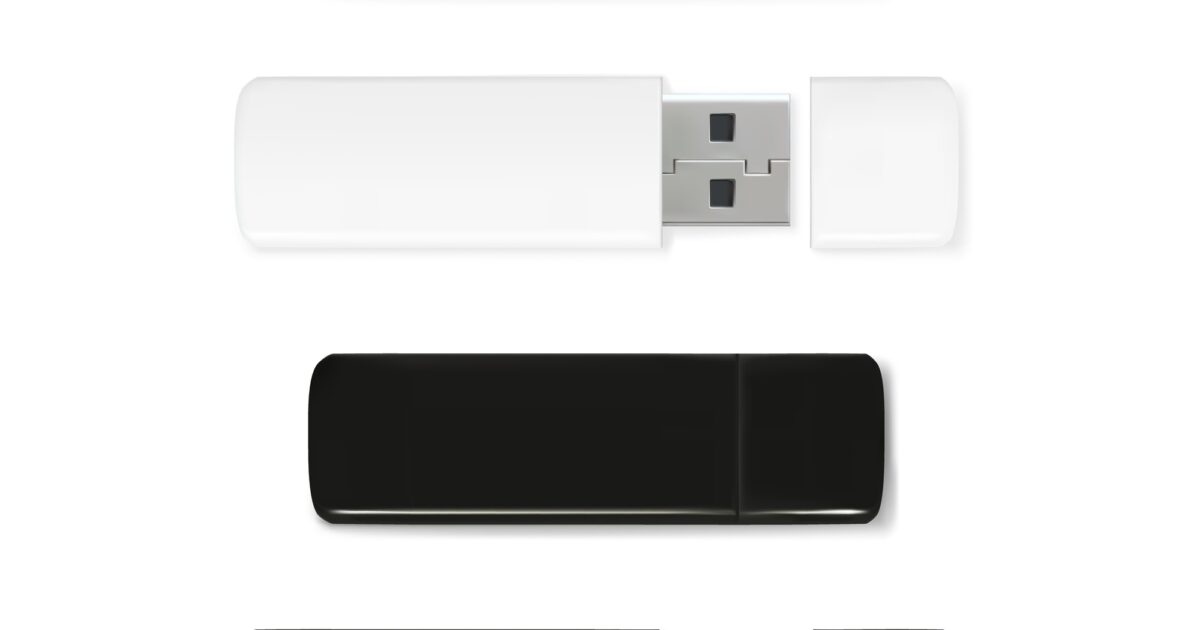
This guide covers everything about The Ultimate Guide to USB Flash Drives in 2026. In a world brimming with digital innovation, few devices have proven as enduringly useful and universally recognized as the humble USB flash drive. This compact, powerful gadget has quietly transformed how we carry and interact with our digital lives, becoming an indispensable tool for students, professionals, and everyday users alike. Its widespread adoption speaks volumes about its practicality and the sheer convenience it offers in an increasingly data-driven existence.
Before the advent of the USB flash drive, moving data between computers was often a cumbersome affair. We relied on floppy disks with their meager storage capacities or writable CDs and DVDs, which were bulkier and slower to process. Then came the USB flash drive, a significant advancement that introduced unprecedented portability and capacity into our daily routines. It essentially condensed entire libraries of documents, photos, and even videos into something small enough to fit in a pocket or attach to a keychain, forever altering our expectations for personal data storage.
The core appeal of any USB flash drive lies in its simplicity and reliability. You simply plug it into a USB port, and it instantly becomes accessible, ready to store or retrieve files with minimal fuss. This plug-and-play functionality eliminated the need for complex software installations or intricate setup procedures, making it incredibly user-friendly for people of all technical proficiencies. Plus, the solid-state memory within a USB flash drive means there are no moving parts, greatly reducing the risk of data loss from physical shock compared to older, mechanical storage solutions.
People use their USB flash drives for a myriad of purposes. For students, it’s a lifeline for carrying assignments, research papers, and presentations between home, library, and campus. Professionals use it to transport critical documents, client portfolios, or software installations when working remotely or giving presentations. Beyond work and education, the USB flash drive serves as a fantastic personal archive, perfect for backing up cherished family photos, important financial records, or a curated selection of music and movies for on-the-go entertainment. Its versatility truly knows no bounds.
As technology advanced, so too did the capabilities of the USB flash drive. Early models offered just a few megabytes of storage, but modern versions boast capacities ranging from 32 gigabytes to multiple terabytes, easily rivaling even some internal hard drives. The evolution of USB standards, from USB 2.0 to USB 3.0, USB 3.1, and now USB 3.2, has dramatically increased data transfer speeds, making it quicker than ever to move large files. The latest USB4 standard promises even faster speeds and enhanced capabilities for data transfer and device connectivity, ensuring that the USB flash drive remains relevant and highly efficient even in an era of ever-growing file sizes.
Latest Update (April 2026)
As of April 2026, the landscape of digital storage continues to evolve rapidly. While cloud storage solutions are prevalent and widely adopted, USB flash drives maintain their unique and essential value proposition. They offer a tangible, independent, and often more immediate way to store and transport data, crucially free from internet connectivity requirements or recurring subscription fees. This independence is particularly valuable for quick file sharing in environments with unreliable internet, for creating bootable operating systems, or simply for having a secure physical backup of essential data. As highlighted in recent discussions around university success, reliable portable storage remains a key component for students managing diverse academic needs and large project files.
Recent reports also highlight a fascinating juxtaposition between modern and legacy storage formats. While USB flash drives offer convenience, a recent article from How-To Geek on April 20, 2026, points out that some forgotten 90s formats, like certain archival-grade media, are being re-evaluated for their potential longevity, lasting over a century for specific long-term backup needs. This contrasts sharply with the everyday use of flash drives for temporary storage or quick transfers. Furthermore, in a surprising nod to older technology, Jalopnik reported on April 19, 2026, that Tesla vehicles may soon recognize a 3.5-inch floppy disk drive, underscoring the persistent, albeit niche, relevance of older storage methods in unexpected places.
The ongoing need for secure and immediate data access remains paramount. While not directly related to flash drives, understanding how to manage personal data, as emphasized by discussions around health information, reinforces the value of having critical data readily accessible and secure. Similarly, optimizing digital platforms, as suggested by current trends in social media algorithms for 2026, often involves efficient data management, where flash drives can play a role in transferring large media assets or project files quickly between devices and editing stations.
Choosing the Right USB Flash Drive in 2026
Selecting the ideal USB flash drive in 2026 involves considering several key factors tailored to your specific requirements. Storage capacity is often the first consideration; while 32GB drives are common for basic tasks, many users now opt for 128GB, 256GB, or even 1TB+ drives to accommodate larger files like high-resolution videos, extensive photo libraries, or complex software projects. As of April 2026, capacities continue to expand, with multi-terabyte drives becoming more accessible.
Transfer speed is another critical factor, directly impacted by the USB standard supported by the drive and your computer’s ports. USB 3.2 (Gen 1, Gen 2, and Gen 2×2) and the newer USB4 standards offer significantly faster read and write speeds compared to older USB 2.0 or 3.0 ports. According to independent tests and user reviews, drives supporting USB 3.2 Gen 2×2 can reach sequential read/write speeds of up to 20 Gbps, while USB4 can push up to 40 Gbps, making the transfer of multi-gigabyte files a matter of seconds rather than minutes.
Physical durability and design also play a role. Many manufacturers offer ruggedized, water-resistant, and shock-proof USB drives, ideal for professionals working in demanding environments or individuals who need extra assurance against accidental damage. Conversely, sleek, compact designs are popular for everyday carry. Security features, such as hardware encryption or password protection, are increasingly common and highly recommended for storing sensitive personal or business data. Users report that these features provide an essential extra layer of protection against unauthorized access, especially if the drive is lost or stolen.
USB Standards Explained
Understanding the different USB standards is key to maximizing your flash drive’s performance:
- USB 2.0: An older standard, offering theoretical speeds up to 480 Mbps. Still found on some basic drives, but generally too slow for modern large files.
- USB 3.0 / 3.1 Gen 1 / 3.2 Gen 1: These are essentially the same standard, offering theoretical speeds up to 5 Gbps. A significant improvement over USB 2.0.
- USB 3.1 Gen 2 / 3.2 Gen 2: Doubles the speed to theoretical 10 Gbps. Noticeably faster for large file transfers.
- USB 3.2 Gen 2×2: Utilizes two lanes of 10 Gbps for a theoretical maximum of 20 Gbps. Requires compatible ports and drives.
- USB4: The latest standard, based on Thunderbolt 3 technology. Offers theoretical speeds up to 40 Gbps and supports advanced features like dynamic bandwidth allocation. As of April 2026, this is the fastest standard available.
When purchasing a drive, look for clear labeling of the USB standard. For optimal performance in 2026, aim for USB 3.2 Gen 2 or higher, and ideally USB4 if your computer supports it.
Beyond Basic Storage: Advanced Uses
USB flash drives offer functionality far beyond simple file storage. They are invaluable tools for IT professionals and tech-savvy users:
- Bootable Drives: Create a bootable USB drive to install or repair operating systems (Windows, macOS, Linux) or run diagnostic tools without needing optical media or network access.
- Live Operating Systems: Run a full operating system directly from the flash drive (e.g., a Linux distribution like Ubuntu), allowing you to use a computer without altering its internal storage.
- Data Recovery: Use specialized bootable USB tools to recover data from a failing hard drive.
- Software Portability: Carry essential portable applications (like browsers, office suites, or utilities) that run directly from the drive without installation on the host computer.
- Secure Data Transfer: For highly sensitive information, using an encrypted USB drive ensures data remains protected even if the drive is physically compromised. As People.com reported on April 23, 2026, misuse of storage devices, including flash drives, can have serious legal consequences, emphasizing the importance of secure handling.
The Role of Flash Drives in 2026’s Digital Ecosystem
In 2026, the digital ecosystem is a complex interplay of cloud services, local storage, and evolving connectivity standards. While cloud storage offers immense capacity and accessibility, it relies heavily on internet connectivity and can incur ongoing costs. USB flash drives provide a crucial counterpoint: tangible, offline, and often more cost-effective for specific use cases. They are indispensable for situations where internet access is limited or unreliable, such as remote fieldwork, travel, or during network outages.
Furthermore, the security aspect of data storage is increasingly scrutinized. While cloud providers invest heavily in security, the physical control offered by a USB drive cannot be overstated. Users maintain direct possession of their data. However, this physical control also brings responsibility. As highlighted by the How-To Geek article from April 20, 2026, relying solely on flash drives for critical, long-term archival purposes might be unwise, as their lifespan can vary significantly based on usage, environment, and manufacturing quality. For true long-term archival, specialized media or robust backup strategies are still recommended. Flash drives excel at portability, quick access, and temporary or medium-term storage.
The enduring popularity of flash drives is also evident in their continued presence in various technological contexts. Even as advanced interfaces emerge, the fundamental utility of plugging a small device into a port to transfer files remains a cornerstone of digital interaction. This practicality ensures their place alongside more sophisticated storage solutions.
Frequently Asked Questions
What is the fastest USB flash drive standard available in 2026?
As of April 2026, USB4 offers the fastest transfer speeds, reaching up to 40 Gbps. USB 3.2 Gen 2×2 is also very fast, offering speeds up to 20 Gbps. Always check the drive’s specifications and ensure your computer’s ports support the standard for optimal performance.
Are USB flash drives still relevant in 2026?
Yes, absolutely. Despite the rise of cloud storage, USB flash drives remain highly relevant in 2026 due to their portability, offline accessibility, speed for large file transfers, and cost-effectiveness for many users. They serve distinct needs that cloud storage cannot always fulfill efficiently or affordably.
How long do USB flash drives typically last?
The lifespan of a USB flash drive varies. For typical daily use, many can last for several years. However, they are not ideal for long-term archival storage. Factors like the quality of the NAND flash memory, usage patterns (frequent writes can shorten lifespan), and environmental conditions affect longevity. Reports suggest that for critical long-term backups, other media might be more suitable, as noted by recent tech analyses.
What is the best USB flash drive for large video files?
For large video files, prioritize a USB flash drive with a high-capacity (128GB or more) and a fast USB standard, such as USB 3.2 Gen 2, USB 3.2 Gen 2×2, or USB4. These offer the necessary speed to transfer large files quickly without significant delays.
Can I use a USB flash drive to install an operating system in 2026?
Yes, creating a bootable USB drive is a common and effective method for installing or reinstalling operating systems like Windows, macOS, or Linux in 2026. You will need a sufficiently large flash drive (typically 8GB or more) and specific software tools to create the bootable media.
Conclusion
The USB flash drive, a device once considered a simple storage medium, continues to prove its enduring value in 2026. Its combination of portability, ease of use, and improving performance ensures its relevance alongside cloud storage and other advanced technologies. Whether for academic pursuits, professional tasks, personal data backup, or specialized IT functions, the USB flash drive remains an essential tool in our digital lives, offering a reliable and tangible way to manage and move data. By understanding the different standards and choosing a drive that matches your needs, you can continue to benefit from this remarkably versatile piece of technology.
Sabrina
2 writes for OrevateAi with a focus on agriculture, ai ethics, ai news, ai tools, apparel & fashion. Articles are reviewed before publication for accuracy.